
Apple Classical, but for jazz

A better way to discover & listen to jazz.

Sessionography maps the entire web of jazz — every session, sideman, tune, label and studio — and plays it all through your Apple Music.

iPhone, iPad, Mac, Apple Watch & CarPlay  ·  Free during beta  ·  Plays through Apple Music

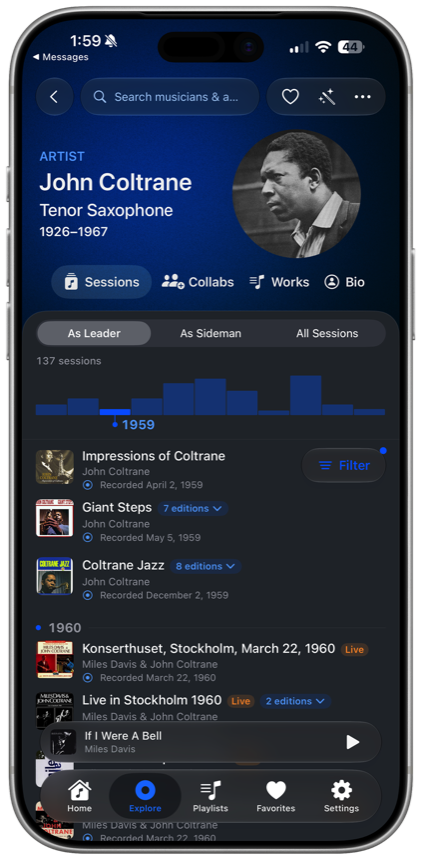
Sessionography artist page for John Coltrane showing his sessions timeline

Follow the artists, the collaborations, the tunes, and then hit play.

Explore connections

See who played with whom.

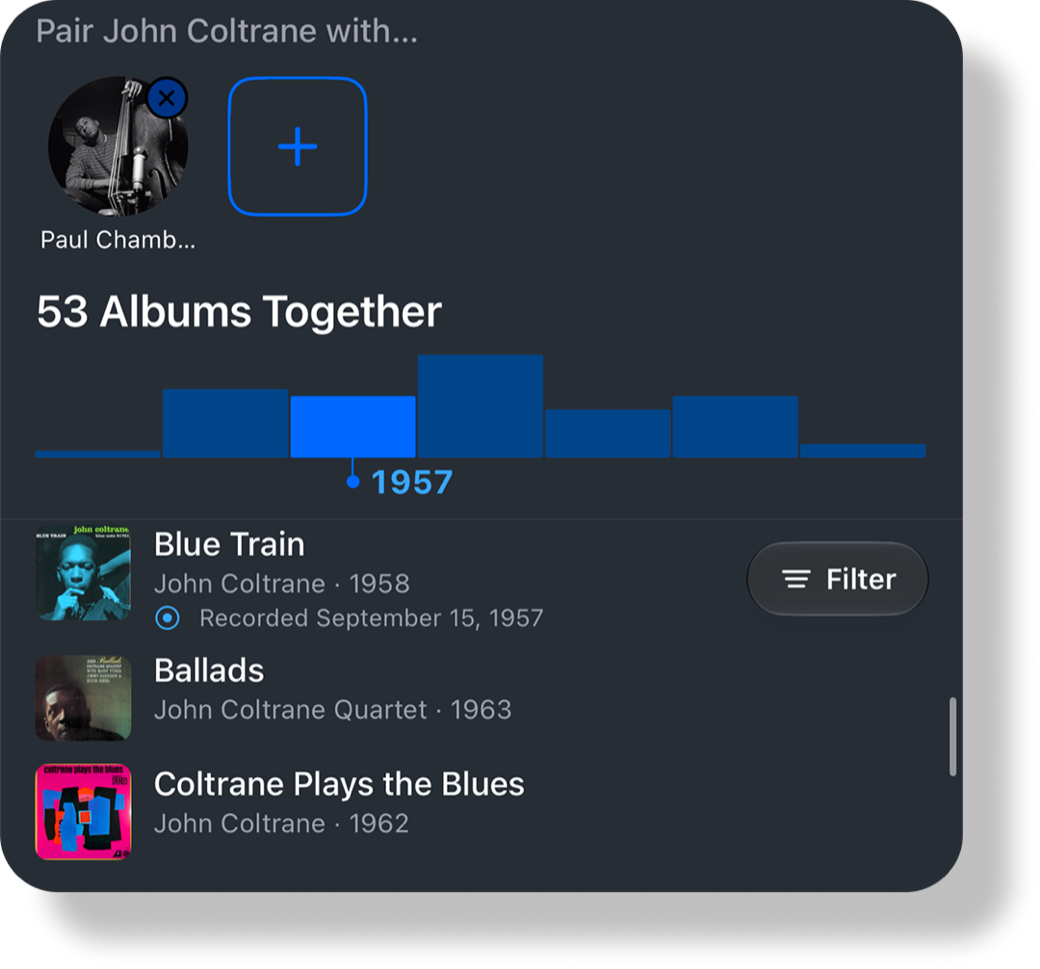
Tap any musician to see everyone they ever recorded with, radiating out in a living graph. Follow the web from sideman to sideman — or pull up the shared discography of any two players and see every album they made together.

250collaborators, one tap from Coltrane
Connections graph radiating from John Coltrane to 250 collaborators
Albums, in depth

The story behind every session.

Full personnel, every track, the label, the studio, the session dates — the information the sleeve used to carry, for every record. And a play button on every track.

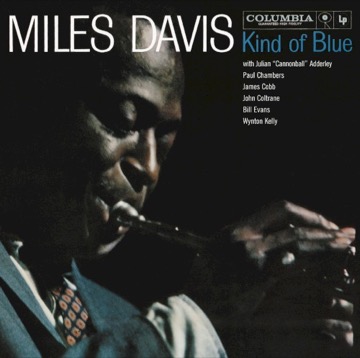
Album page for Miles Davis — Kind of Blue
The recording history of any tune

One tune, every version.

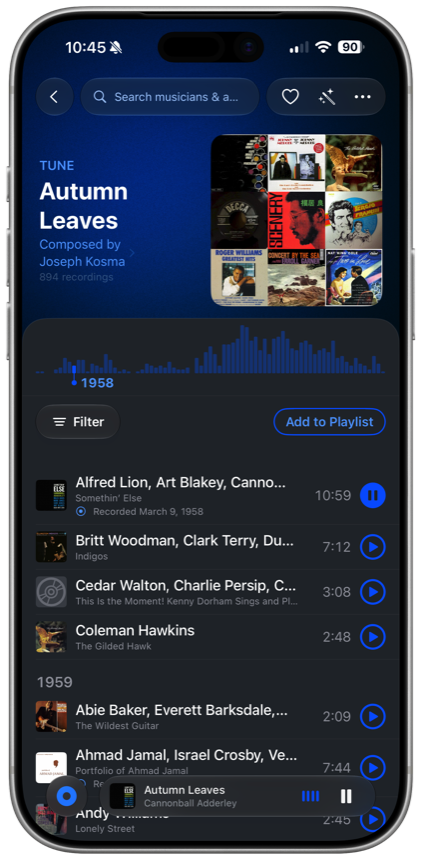
Every recording of a standard, laid out across the decades — sortable, filterable, all playable. “Autumn Leaves” alone spans hundreds of takes from hundreds of artists.

894recordings of one tune
Tune page for Autumn Leaves listing 500 recordings
Compare editions

Find the pressing you want.

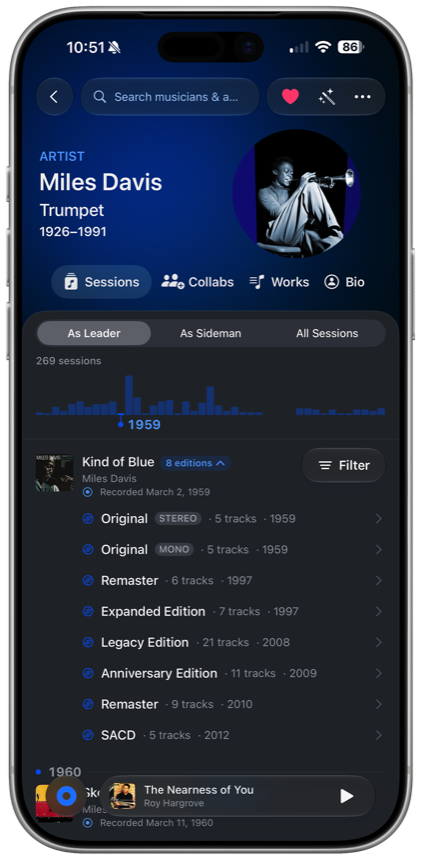
Original stereo, mono, remaster, expanded, anniversary, SACD — every edition of an album side by side, with track counts and years.

Kind of Blue with eight editions compared side by side
Discover deep cuts

Smart Playlists, dialed in.

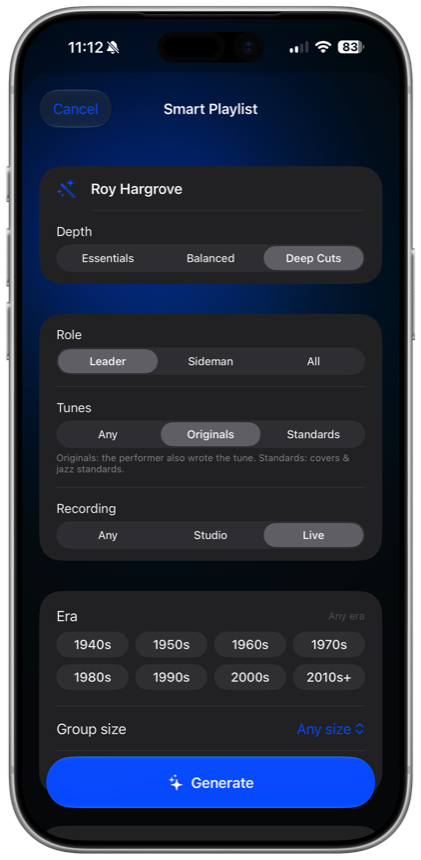
Build a mix around any artist. Choose leader or sideman, originals or standards, studio or live, the decade, the group size — and slide from the essentials all the way to the deep cuts. Then generate.

Smart Playlist builder for Roy Hargrove
Label & studio pages

Every label, every studio.

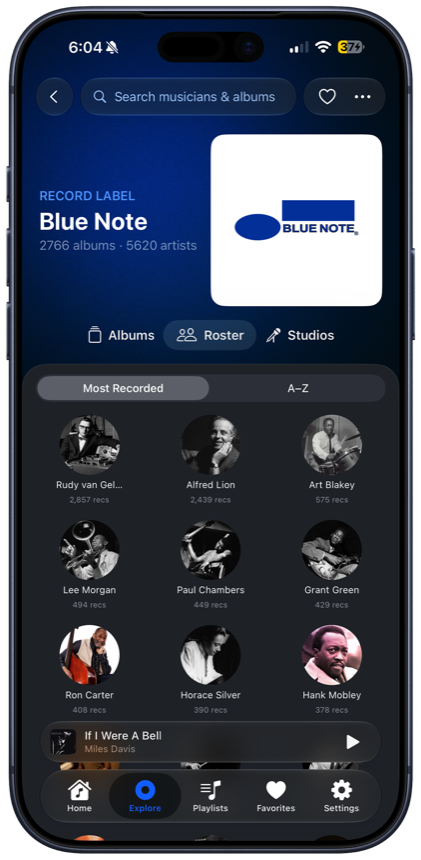
Browse Blue Note’s entire roster, or every session recorded at CBS 30th Street Studio. Labels and studios get full pages too — the institutions that shaped the music, made explorable.

Record label page for Blue Note showing its roster

Every detail is a doorway.

Personnel, takes, shared sessions, the label, the studio — and every name, tune, and place is a link. Tap anything to go deeper.

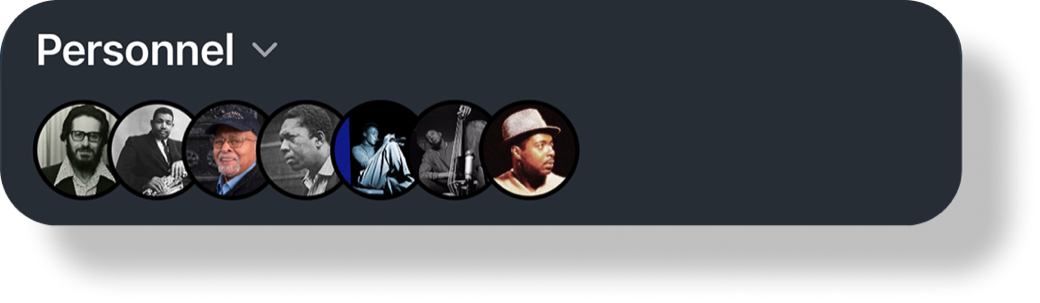
Personnel row of musician portraits
Full personnel — everyone in the room, tap through to their page.
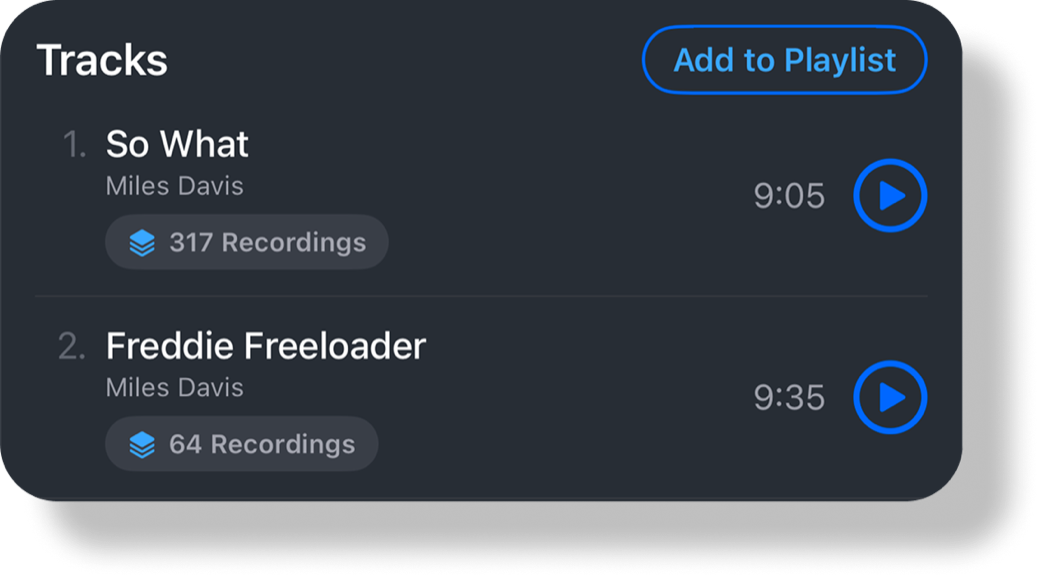
Track list showing recording counts per tune
Every track — with how many times each tune was recorded.
Shared discography of Coltrane and Paul Chambers — 53 albums together
Shared discographies — 53 albums for Coltrane & Paul Chambers alone.
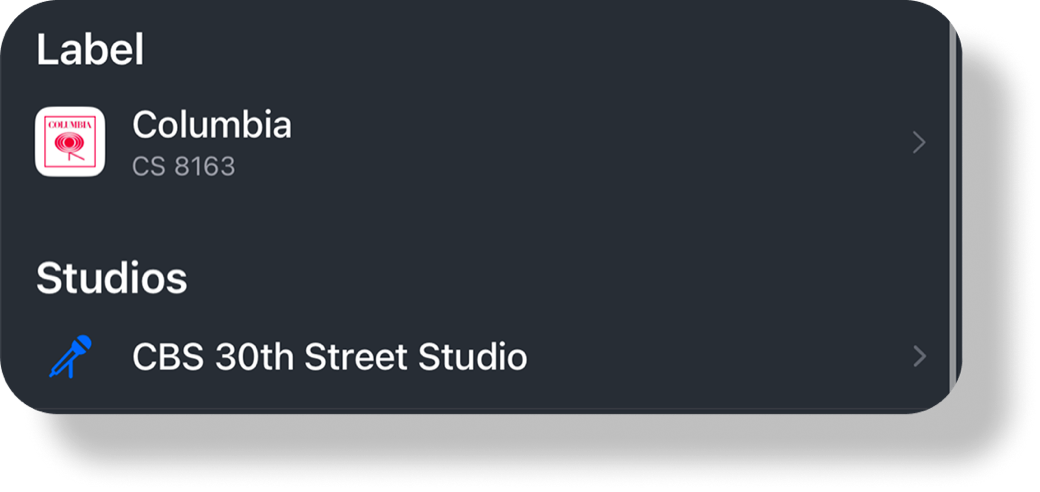
Label and studio for an album
Label & studio — down to the catalog number and the room.

Start exploring.

Sessionography is in open beta for iPhone, iPad, Mac, Apple Watch, and CarPlay. Join free and help shape it.

Join the TestFlight Beta
Under the hood

Built natively for Apple platforms.

Every feature is powered by first-party frameworks. The short version, for the technically curious.

Apple Music & playback

  • Catalog and library playback through MusicKit and ApplicationMusicPlayer, subscription-aware, with alternate-take-safe track resolution.
  • MPNowPlayingInfoCenter and MPRemoteCommandCenter drive Lock Screen and Control Center transport, backed by a native queue window.
  • An ActivityKit Live Activity follows the current section on the Lock Screen.
  • AVFoundation audio session and Core Haptics feedback.

Siri & Apple Intelligence

  • SiriKit Media Intent (INPlayMediaIntent) handles open-vocabulary “Play … in Sessionography,” resolved in-app against the full catalog.
  • On-device Foundation Models run a LanguageModelSession that interprets a spoken request. It is never a source of facts, and always falls back to a deterministic parse.
  • iOS 26 IntentModes power headless voice playback.

iPad, Mac & CarPlay

  • An adaptive two-pane layout re-flows live for Split View, Stage Manager, and rotation, preserving state across every resize.
  • Hardware keyboard shortcuts for navigation.
  • A CarPlay audio scene (CPTemplateApplicationScene).
  • Runs on Apple Silicon Macs.

Apple Watch & widgets

  • An independent watchOS app with a one-screen Now Playing and an Always-On-aware progress ring that dims via isLuminanceReduced.
  • WidgetKit complications in rectangular, circular, and inline families.
  • WatchConnectivity keeps now-playing state and artwork in sync, packed on the phone side.

Accessibility

  • VoiceOver reads labeled controls, hints, and traits throughout, including the interactive connections graph.
  • Full Dynamic Type, with every text style semantic so it scales with the reader’s setting.
  • Reduce Motion is honored across animations and scrolling.

Sync & privacy

  • SwiftData and CloudKit private-database mirroring (NSPersistentCloudKitContainer) syncs your library across devices and survives reinstall.
  • An iCloud key-value store holds favorites and history. Universal Links (Associated Domains) open shared setlists in-app.
  • No account and no sign-in, just an anonymous device ID in the Keychain. Listening history stays on device and in your own iCloud, never on a server.
  • UserNotifications schedule daily discovery entirely on-device, with no push server.

SwiftUI · @Observable · Swift 6 concurrency · built for iOS 26 with the Liquid Glass design system.